Install the stable Rust toolchain on your Mac. As the ESP32-C3 uses the RISCV ISA, we need to add the riscv32imc target to the toolchain:
rustup target add riscv32imc-unknown-none-elfNext, install
esp-generateto generate ESP32 Rust projectsespflashto manage programs on the ESP32 deviceprobe-rsfor debugging capabilities
cargo install esp-generate --locked
cargo install espflash --locked
cargo install probe-rs-tools --locked
Use esp-generate to generate a project targetting esp32-c3:
$ esp-generate <project-name>
? Select your target chip:
  esp32
  esp32c2
> esp32c3
  esp32c5
  esp32c6
  esp32c61
v esp32h2
[↑↓ to move, enter to select, type to filter]
On selecting the device, the project configuration menu opens up. Modify the configuration if required, else press S to save the configuration and generate the project:
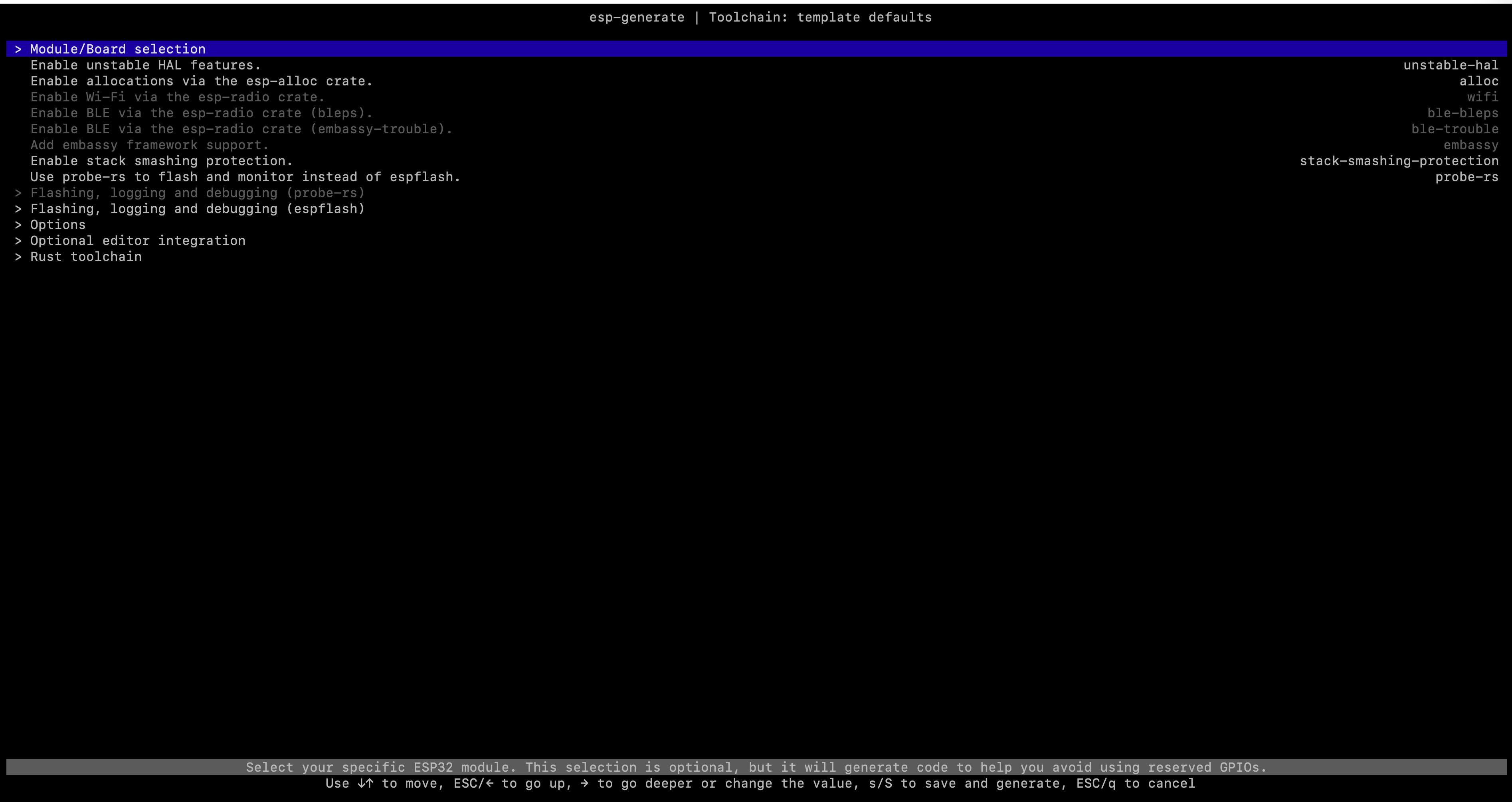
The project is generated in <project-name> directory:
$ esp-generate <project-name>
> Select your target chip: esp32c3
Selected options: --chip esp32c3

Checking installed versions
🆗 Rust (stable): 1.94.0
🆗 espflash: 4.4.0
🆗 probe-rs: 0.31.0
🆗 esp-config: 0.7.0
Run cargo run --release to build, flash and monitor the application on the C3:
cd <project-name>
cargo run --release